January 23, 2026 • 7:00 PM EST
- 📊 PageSpeed improvements: Mobile 55→77 (+40%), Desktop 57→97 (+70%)
- ⚡ Sidequest image optimization: 33MB → 1.25MB (96% reduction)
- 📱 Mobile JS savings: ~330KB removed (GSAP, Chart.js, MediaPipe, GTM)
- 🖼️ Responsive images with srcset for automatic resolution switching
January 22, 2026 • 12:15 AM EST
- 🧠 Knowledge Graph overhaul: Fixed popup display issues and improved UI
- ✨ Smooth fade-out animation for space filter dropdown (150ms transition)
- 🐛 Resolved MutationObserver conflict that was breaking React component rendering
January 21, 2026 • 10:00 PM EST
- 🎮 New Sidequests section: Showcasing 3 side projects (Retro Cam, Donut, Clay Keeper)
- 🃏 Hover preview cards with elastic pop-in animation and pendulum wiggle effect
- 🔀 Scramble text effect on project titles (matching nav link style)
- 📸 Real preview images for Retro Cam project with hardware and app screenshots
January 10, 2026 • 11:00 PM EST
- 🧠 48 new learnings added to RyBot's memory: Klarna integration, work experience, voice background, hobbies, and more
- 🔧 Fixed knowledge search cache bug - queries now return correct context-specific results
- 🎙️ Voice Commands UI: Custom SVG icons, click-outside-to-close, waterfall fade-in animation
- 🔗 New LinkedIn voice action - opens in new tab without ending voice session
- 🩺 Connection health monitoring with zombie detection and auto-reconnect (up to 2 attempts)
January 7, 2026 • 10:30 PM EST
- 📚 Storybook is live! Self-hosted component library with custom heyhaigh.ai branding
- 🧭 New "Assets" nav link added globally - browse all UI components and design foundations
- 🎨 30+ documented components: Voice UI, Bento cards, Client carousel, and more
- 📖 Foundation docs: Colors, Surfaces (frosted glass), and Typography specs
January 4, 2026 • 12:15 AM EST
- 🎠 About page redesign: 3-row infinite scrolling client logo carousel
- 🏢 15 client logos: Google, Amazon, Apple, PlayStation, Xbox, Samsung, BMW, and more
- 📝 Updated bio with 18+ years experience and AI/crypto/voice tech focus
- 🏆 Achievements section with hyperlinked awards (CES, IoT, PC Mag, Patent)
January 3, 2026 • 11:45 PM EST
- 🗑️ Memory Deletion: New delete_all_memories tool for user privacy requests
- 🔒 Removes all profile and episodic memories from Supermemory on request
January 3, 2026 • 11:30 PM EST
- 🧠 Zero-Latency Memory: Memories now queue during calls, flush via Hume webhook when call ends
- 💾 User Memory Saving: RyBot now proactively saves visitor info (names, preferences, pets, interests)
- 📉 98% API Reduction: Multi-layer caching + 24hr graph refresh (~1,584→33 calls/day)
- 📝 Updated Supermemory article with webhook approach and caching strategies
January 2, 2026 • 6:00 PM EST
- ⚡ Major PageSpeed optimizations: Desktop 57→96, Mobile 55→77
- 🔤 Self-hosted fonts: Material Symbols subset (3.7MB→142KB), Geist Mono
- 🖼️ WebP image conversions with 89-90% size reductions
- 📱 Responsive images: smaller assets served to mobile devices
January 1, 2026 • 7:30 PM EST
- 🧭 New global top navigation bar with centered pill design
- ✨ Scrambled text effect on hover - characters randomize then resolve
- 📱 Mobile responsive: icons only on smaller screens
January 1, 2026 • 12:00 AM EST
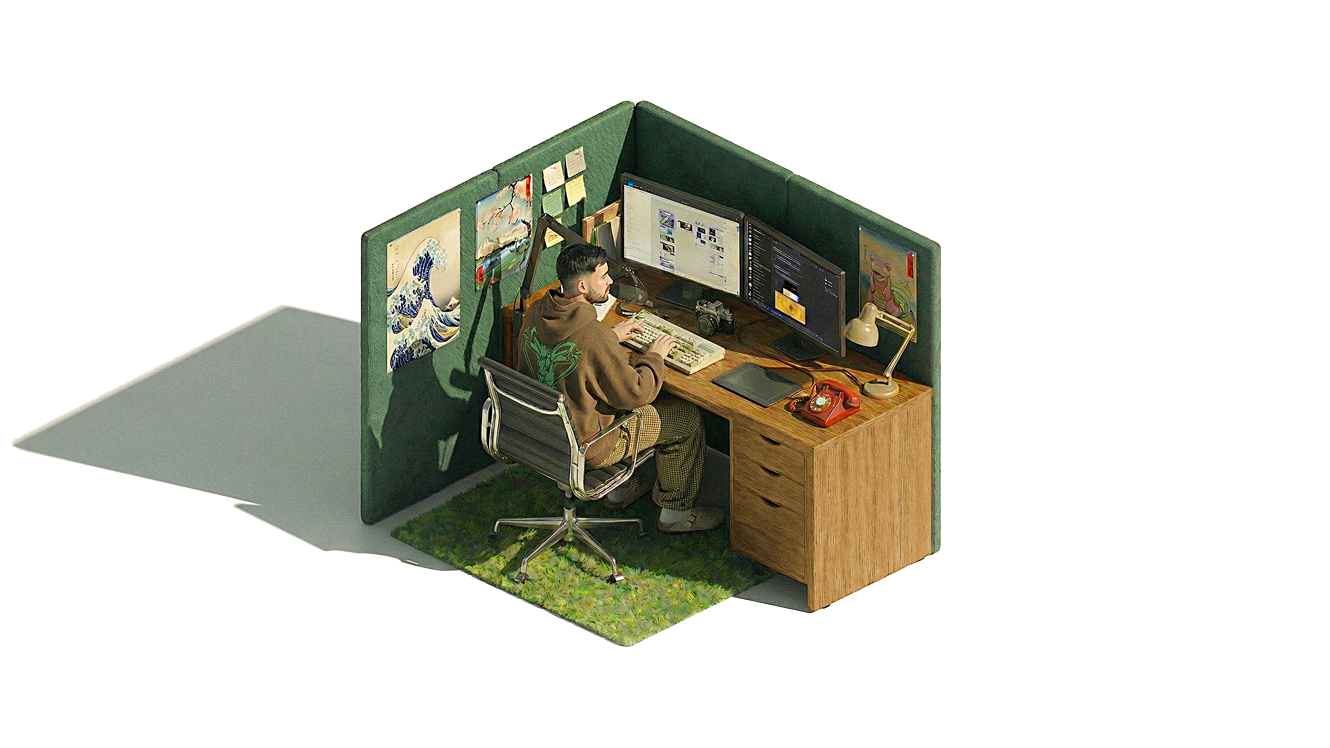
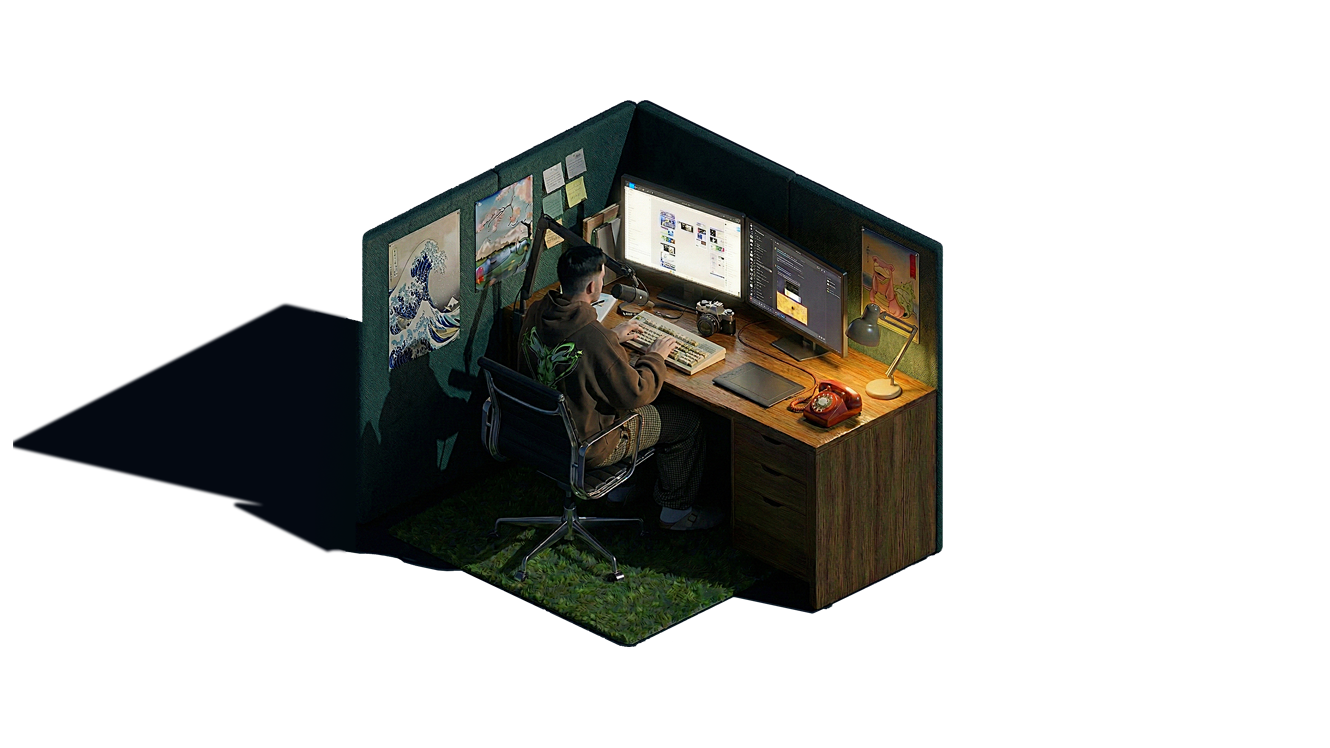
- 🎊 Happy New Year! The holiday season has ended and normal desk mode is back
- 🎄 Miss the festivities? Activate Holiday Mode to bring back the snow, Gift Guide, and festive desk scene
December 30, 2024 • 4:30 PM EST
- 🏗️ 4-Tier Memory Architecture: Session → Profile → Memory → Knowledge layers
- 🧹 Memory Deduplication: Skip storing >80% similar memories
- 📉 Memory Decay: 60-day half-life soft decay for relevance ranking
December 30, 2024 • 2:00 PM EST
- 🧠 Knowledge Graph: Interactive visualization of RyBot's memory network
- 🔍 Memory Search: Search through 90 memories with clickable result chips
- 🌐 25 clusters with 195 connections visualized in real-time using Supermemory
December 29, 2024 • 3:00 PM EST
- 👟 Steps Progress Bar: Visual progress bar showing daily step goal completion
- 💬 Hover Tooltips: Added tooltips to steps card displaying exact count and percentage
December 28, 2024 • 6:30 PM EST
- 🔒 Security Hardening: Rate limiting on API endpoints, SRI hashes for external scripts
- 🛡️ XSS/CORS Fixes: HTML escaping on product cards, restricted CORS origins
December 27, 2024 • 2:15 PM EST
- 🔍 SEO Improvements: Added favicon, apple-touch-icon, robots.txt, and sitemap.xml
- 📋 Structured Data: Fixed dateModified format for Google Search Console
December 26, 2024 • 11:00 AM EST
- 📊 RyMetrics: Renamed "Notes from Ry's Desk" section
- 💊 Supplement Card: Simplified layout, increased font size, fixed height constraints
- 🔢 GitHub API: Fixed pagination for accurate commit counting
December 22, 2025 • 12:30 PM EST
- 📈 HR/HRV Chart: Added mini line chart showing historical heart rate and HRV readings
- 💓 Heartbeat Animation: BPM value now pulses at your actual heart rate (60/BPM seconds per beat)
- 🎯 Real-time Values: Switched from daily averages to actual most-recent readings from Apple Health
December 21, 2025 • 2:45 PM EST
- 📊 Bento Cards: Added live stats dashboard to changelog with GitHub commits, daily steps, and heart rate/HRV
- ❤️ Apple Health Sync: iOS Shortcut integration syncs steps, resting heart rate, and HRV via Upstash Redis
- 🎨 Unified design: 3-column grid layout with Geist Mono typeface and bottom-aligned timestamps
December 20, 2025 • 4:30 PM EST
- 🤖 AI-Curated Picks: Claude AI now analyzes search results and highlights top 2-3 product recommendations
- ✨ Curated cards feature a pulsating blue glow animation with staggered timing
- 🏷️ Each pick includes an AI-generated label explaining why it's a top choice
- 🎙️ RyBot now verbally acknowledges curated picks: "I've highlighted my top picks for you"
December 17, 2025 • 7:30 PM EST
- 🎄 Holiday Mode! Festive desk scene with animated snow, presents, and twinkling lights
- 📱 Redesigned Gift Guide mobile controls to match landing page voice UI
- "Chat with RyBot" button now floats cleanly, control bar fades in on call connect
- Miss the holidays? Activate Holiday Mode to bring back the festive desk!
December 16, 2025 • 10:45 PM EST
- 🎁 Launched the 2025 Holiday Gift Guide! A curated collection of my personal product recommendations
- 🔌 Powered by Klarna's Agentic Product Protocol, with lookup access to over 100M+ products
- 🛒 Integrated Klarna's PriceRunner API for real-time product search and price comparison
- 🎙️ Speak-to-search: Ask RyBot to find products during a voice call and see live results appear in the overlay
- 💬 Each recommended item includes "Ry Notes" — personal commentary on why I love these products
- ✨ Festive christmas lights animation on the Gift Guide button (desktop hover effect)
- *No affiliate links are utilized
December 11, 2025 • 12:10 AM EST
- 🚫 Added a custom 404 page with animated text
December 9, 2025 • 7:45 PM EST
December 9, 2025 • 4:30 PM EST
- ✨ Improved changelog animations
December 9, 2025 • 10:10 AM EST
- 🎨 Smart Theme Toggle - Voice commands now detect current theme state
- UI no longer toggles incorrectly when requesting the current mode
- Voice agent provides accurate feedback ("You're already in light mode")
December 8, 2025 • 4:00 PM EST
- 🛠️ Experience Clean Up
- Lean back animation no longer playing during active calls
- Captions showcase properly when activated mid-call
- Call quality has now been improved and should reduce pops/cracks
- Snow control is now fixed and operational for voice commands
December 8, 2025 • 12:00 PM EST
- 🔤 Live Captions Now Available! Click the CC button during voice calls for real-time transcriptions
- See both your speech and RyBot's responses as text in real-time
- Captions preference saved automatically
December 7, 2024 • 7:00 PM EST
- 🎤 Voice Commands Are Now Live! RyBot can now control the website with your voice
- Supported commands:
- "dark mode" / "light mode" / "toggle theme" - Switch between themes
- "show metrics" / "open metrics" - Open RyMetrics
- "more snow" / "less snow" - Control snowfall intensity
- "scroll to top" / "back to top" - Jump to top of page
- "go to thoughts" / "open blog" - Navigate to Thoughts page
- "goodbye" / "hang up" / "end call" - End the voice session
December 7, 2024 • 12:30 AM EST
- 📄 New Thoughts Page: Long-form articles and guides now have a dedicated home
- First article published: "Voice Clone Security Guidelines" - a framework for preventing AI voice clone misuse
- Consistent design language across pages with shared changelog and theme controls
December 6, 2024 • 7:30 PM EST
- 🌐 Web Lookup Functionality Added: RyBot can now search the web in real-time during conversations
- "What's the current AAPL (Apple) stock price?"
- "What's the weather like in Tokyo right now?"
- "What are the best Fantasy book recommendations?"
December 5, 2024 • 11:55 PM EST
- 🔗 Railway Backend Connected: Full end-to-end memory persistence now live with production server integration
- Server-Side Memory: RyBot's memories now persist on Railway backend (ai-personality-production.up.railway.app)
- Cross-Device Sync: Your conversations with RyBot sync across all devices using the same browser
- Verified & Tested: All memory API endpoints (GET/POST/DELETE) tested and operational
December 5, 2024 • 11:45 PM EST
- 🧠 Persistent Memory System: RyBot now remembers information across sessions using localStorage and server-side persistence
- Session ID Management: Each user gets a unique persistent session ID for personalized memory retention
- Automatic Memory Sync: Memories sync every 30 seconds and on call end to ensure no data loss
- Cross-Device Support: Memories stored locally and can sync with server backend when Railway URL is configured
December 5, 2024 • 11:30 PM EST
- 🤖 RyBot Memory Update: Enhanced conversational memory for more accurate and contextual responses
- Improved ability to recall and reference earlier parts of conversations
- Better understanding of project context and user preferences across chat sessions
December 4, 2024 • 12:00 AM EST
- ❄️ Snow Kill Streaks Unlocked! Reach snowflake milestones to trigger epic slam-down animations
- 🎯 600 snowflakes → SNOW FRENZY: Ice-themed visual slams down with custom sound effect
- 🎯 2400 snowflakes → SNOW FLURRY: Mid-tier celebration with enhanced audio
- 🎯 8000 snowflakes → SNOWPOCALYPSE: Ultimate milestone with fire and ice collision + intense sound
- 🔊 Each milestone features unique custom sound effects that sync with the animation
- ✨ Subtle 5px gaussian blur background effect creates visual separation during animations
- ⚡ Ultra-fast 0.075s transitions for smooth, snappy milestone reveals
December 3, 2024 • 9:05 PM EST
- 🖐️ Desktop Hand Tracking Released! Control snow with your webcam using MediaPipe hand detection
- Wave your hand left/right to control wind direction and watch the snowflakes respond in real-time
- Smooth purple animated "Enable Hand Control" button at bottom of screen (desktop only)
- Live metrics display: Hand position percentage, Wind offset, and Snow count
- Arrow buttons and keyboard shortcuts (↑/↓) to increase/decrease snow amount
- Satisfying sound effects for enable, stop, and snow adjustments
- Optimized for re-use: Enable/stop/re-enable as many times as you want without page refresh
- MediaPipe instance stays alive in memory for instant reactivation
December 3, 2024 • 12:30 AM EST
- ✨ Mobile: Added shimmer animation to "Enable Snow Control" button - eye-catching animated gradient promotes feature discovery
- 📊 Mobile: Real-time snow count display! See exactly how many snowflakes are falling and watch the number update as you adjust
- 🎯 Mobile: Improved button positioning with balanced padding for better visual alignment
- Mobile snow controls now show live metrics: Tilt angle, Wind offset, and Snow count all in one place
December 2, 2024 • 11:45 PM EST
- Enhanced mobile snow experience! 📱 Mobile devices now start with 600 snowflakes (vs 150 on desktop) for a more immersive winter scene
- Tilt your phone to control the wind! The accelerometer now affects snow direction - tilt left/right to guide the snowfall
- On iOS devices, tap "Enable Snow Control" button at the bottom of the screen to activate motion sensors
December 2, 2024 • 9:30 PM EST
- Winter has arrived! ❄️ Snow now falls in both light and dark modes
- 150 unique snowflakes with realistic physics and wind patterns
- Press ↑ arrow key to double the snow, ↓ arrow key to halve it - control the winter intensity!
- Canvas-based animation with GPU acceleration for smooth performance
- Missing autumn? Activate Leaf Peeping Season to bring back the falling leaves!
December 1, 2024 • 6:45 PM EST
- RyBot™ now has synchronized animations for call states! 📞
- 3D character answers the phone when you start a call (plays once)
- Character holds phone to ear during active conversations (loops continuously)
- Character hangs up phone when call ends, then returns to typing (plays once)
- Implemented staggered crossfade technique for buttery-smooth transitions with zero flashing
- All animations use the same transparency processing as other videos (light mode only)
December 1, 2024 • 4:15 PM EST
- Added satisfying sound effects for call interactions 🔊
- Call start sound plays instantly when you click "Chat with RyBot™"
- Call end sound provides audio feedback when conversation ends
- Sounds are preloaded for immediate playback with zero delay
December 1, 2024 • 3:30 PM EST
- Polished voice agent UI with snappy elastic animations 🎨
- Added smooth bounce effect when voice controls expand (0.1s with overshoot)
- Grouped control buttons with 6px spacing for tighter, cohesive layout
- Doubled equalizer bars to 32 for fuller, more dynamic visualization
December 1, 2024 • 2:00 PM EST
- Introduced RyBot™ - AI voice agent leveraging Hume.ai API & SDK with custom voice model trained using Claude Code! 🤖
- Click "Chat with RyBot™" to have a real-time voice conversation
- Audio-reactive equalizer visualizes voice frequencies in real-time
- Separate controls for microphone and speaker muting
- Clean, minimal Hume-inspired interface with monochrome design
- Secure OAuth token management via serverless backend
November 28, 2024 • 10:45 PM EST
- Added second workspace animation that alternates with the typing scene 🎬
- Stretching animation plays every ~20 seconds in light mode for visual variety
- Perfect transparency achieved using advanced luminance-based processing
- Seamless crossfade transitions (0.2s) with layered video approach - no flashing!
November 27, 2024 • 8:15 PM EST
- Optimized for mobile devices 📱
- Mobile users now see a clean static workspace image instead of the animated video
- Fixed transparency issues with video on iOS Safari and other mobile browsers
- Improved loading speed and performance on mobile devices
November 27, 2024 • 7:30 PM EST
- Thanksgiving Mode Activated! 🍂
- Added falling autumn leaves in light mode with gentle, realistic motion
- Leaves tumble, spin, and drift naturally using advanced 3D animations
- Perfect seasonal complement to the existing twinkling stars in dark mode
November 27, 2024 • 1:15 PM EST
- Added this notes section so you can keep up with updates to the site
- Created a new icon button in the top right that opens this overlay
- Grouped the notes icon and light/dark mode toggle together as a tidy control panel
November 27, 2024 • 12:30 PM EST
- Added smart video loading - shows a static image first, then smoothly transitions to the animated workspace scene
- Improved dark mode with a subtle gradient that adds depth to the background
- Made mode switching faster and more responsive - no more waiting around
November 26, 2024 • 10:15 AM EST
- Launched the new portfolio site with a clean, minimal design
- Added light and dark mode toggle - switch based on your preference or time of day
- Integrated twinkling stars in dark mode for a nice ambient effect