Live Captions
Captions will appear here when the conversation starts...
Voice Settings
Memory mode
Choose how RyBot recalls context.
Standard
Voice commands Browse phrases RyBot understands.
Theme Toggle
"Dark mode" or "Light mode" to switch themes
Changelog & Metrics
"Open changelog" or "Show metrics" for updates
Thoughts
"Show me your thoughts" to browse posts without leaving the call
Memory Graph
"Show memory" for a look at the knowledge graph
About
"Open about" to see Ryan's intro
Contact
Say "Email Ryan" or "Email Ry" to open the form
End Call
"Hang up" or "End call" to finish
Recommendations powered by
00:00:00
Tilt:
0°
Wind:
0px
Snow:
150
Hand:
--
Wind:
0px
Snow:
150
Lift or move your hand to control the snow
RyMetrics
Commits (60 days)
Steps Today
--
Sync via iOS Shortcut
Heart Rate / HRV
--
Sync via iOS Shortcut
Sep 16, 2026
- Table of contents got a redesign for articles read on screens 1280px wide and up.
- Listen to Thoughts in my AI voice. Audio narration is now available for The LLM Council (25:36), 3D Printing The Met (11:16), Building AI Memory with Supermemory (14:03), and Building Trading Buddy (9:06).
- A compact listen button opens into a mobile-friendly player with seeking, playback speed, and mute, styled for light and dark mode.
Sep 14, 2026
- A clearer path through Thoughts. Author names now link home, tags open matching articles, and compact sharing icons sit beside each byline.
- Refined article spacing, author cards, contents lists, and related titles, with consistent hover effects and X/Twitter labels across the site.
- 🌙 New Side Quest: Critters.wtf. A world of adoptable domains, brought to life as animated creatures. Explore a lunar outpost, complete with personalities, customizable outfits, and emotes.
- 🎬 Hover or tap the new project above Propagate to see characters interacting, a snapshot of the domain collection, and a creature trying on colors and playing emotes—all captured from the actual experience.
Aug 30, 2026 • 4:54 PM EST
- ⚡ RyBot responds faster at the moments dead air matters most. Capability-light first turns now bypass memory and tool work they do not need, use a prewarmed profile, and stream completed thoughts to Hume as the model generates them.
- 🧠 Memory-rich turns keep their strict retrieval deadlines, while memory saves, semantic consolidation, and relationship analysis stay outside the live response path. Memory-only tool turns also avoid a redundant second model request.
- 📈 The gains arrived in two measurable steps. Moving memory work off the live path reduced average model latency 28% and median latency 32%. Today's routing and streaming work then improved them by another 10% and 18%, respectively. A matched browser trace also showed first request to first audio improving from approximately 1.85s to 1.28s.
Model response latency
lower is faster
Average35% faster
Baseline1.95s
Memory1.40s
Today1.26s
Median45% faster
Baseline2.07s
Memory1.40s
Today1.15s
p9035% faster
Baseline2.93s
Memory1.74s
Today1.90s
Observed production samples: 22 Railway model calls in the Aug 27 baseline, 13 after the memory-path rollout, and 14 across today's latency rollout. The longer-range exports also show p90 falling from 3.62s in Aug 7/19 samples to 1.90s today. Turn complexity varies; this is production telemetry, not a controlled benchmark.
Aug 29, 2026 • 8:50 PM EST
- 🧠 Introducing L/R Brain, an experimental memory mode for RyBot. Voice Settings now lets visitors switch between the existing Standard pipeline and a new prefetch-based approach that prepares relevant context while they speak.
- ⚖️ Standard remains the default while both pipelines run side by side, making it possible to compare conversational latency and memory quality before replacing the current architecture.
- 💡 The mental model was inspired in part by this memory-agent framework shared on LinkedIn.
Aug 28, 2026 • 12:54 AM EST
- 🛟 RyBot now has a resilient model fallback chain. If a direct Anthropic request stalls or fails, the live call can continue through OpenRouter with a secondary provider fallback while preserving the conversation context and available tools.
- 🧠 Memory saves no longer interrupt the conversation. New profile details and episodic memories are deduplicated and queued during the call, then written to Supermemory after the call ends.
- 🔁 Supermemory writes now use genuine cancellable timeouts and bounded retries, so a slow request cannot masquerade as a failure, arrive later, or leave the call waiting in silence.
Aug 27, 2026 • 12:16 AM EST
- 📮 Introducing the RyBot Email Assistant. Website contact requests and messages sent directly to RyBot now reach Ryan through a private relay—without placing visitors and Ryan on a shared email thread.
- ↩️ Visitors receive a record of exactly what was sent, and any reply to RyBot is acknowledged before being forwarded privately to Ryan.
- During a live call, RyBot can also confirm whether the handoff succeeded or help someone retry.
Aug 26, 2026 • 6:15 PM EST
- 📚 RyBot can now turn build questions into a reading path. Ask how the voice agent, its memory, voice security, 3D printing projects, or the LLM Council works and it opens a curated “Start here” article with related reading—without ending the call.
- 🧭 Recommendations now appear as compact in-call cards with a direct “Launch Thoughts” handoff when someone wants the full archive.
- 🎙️ RyBot’s technical answers now reflect the stack actually behind it: Hume EVI and the Hume voice clone, Claude, the Railway proxy, and selective Supermemory context—not ElevenLabs or invented implementation details.
Aug 26, 2026 • 4:27 PM EST
- 📬 RyBot can now make the introduction. Say “email Ryan,” “email Ry,” or ask to connect, and RyBot opens an in-call form so visitors can type their own name, email, and reason for reaching out.
- ✉️ The form sends a clearly RyBot-authored email to the visitor and Ryan with a standardized subject, the visitor’s contact details, and their reason for reaching out. Ryan’s direct email remains available as a fallback.
- ✅ A successful send now closes the form and shows a centered, dismissible confirmation toast with an inverse light/dark palette, returning the visitor to the site, call controls, and live captions.
- 💬 RyBot now keeps the handoff brief and follows the opened form with a natural offer to help with anything else.
Aug 26, 2026 • 12:39 PM EST
- 🗣️ Atlas now answers to RyBot. Ask what the instrument is and RyBot can talk through the autonomous agent, generated world, and score behind it.
- ⛶ Say “launch Atlas” to open the field full screen without ending the voice call. Audio still waits for you to turn it on.
Aug 25, 2026 • 12:19 PM EST
- ◼️ Atlas Instrument now lives inside RyMetrics. The monochrome field pairs an autonomous agent with a composed score shaped in real time by the world around it.
- 🎲 Every page load draws a different work from a curated 20-seed edition. Sound stays muted until invited, and the field can expand to fill the screen.
Aug 19, 2026 • 10:10 PM EST
- 🧠 RyBot caught up on 2026. The voice agent now knows what I've actually been building — ask it about Propagate and it can open the game for you in a new tab, mid-call.
- 📚 It can also talk through (and open) the newest articles — the LLM Council and 3D Printing The Met.
- 📬 New contact flow. Ask for work examples and RyBot pulls up an in-call panel with my email — copy it or open your mail app, without the call dropping. There's an Email button on the About page now too.
- 💬 It also learned to stop monologuing — shorter answers, more back-and-forth.
Aug 17, 2026 • 12:00 PM EST
- 🏛️ Published "The LLM Council" — a new Thoughts article on the peer-review system behind my projects: six frontier models anonymously critique every plan and draft through one OpenRouter API, and Claude clusters the findings into consensus, contested, and outliers.
- 🧠 Based on Andrej Karpathy's llm-council idea, stripped to the one stage that adds signal — includes the full architecture, real reviews that shaped Propagate and this site's voice agent, and a build-your-own guide.
Aug 14, 2026 • 5:36 PM EST
- 🌱 Propagate has a new home — propagate.heyhaigh.ai was updated to propagate.world. Export your towns from the old subdomain (in settings) or continue playing within that URL.
Aug 7, 2026 • 1:45 PM EST
- 🎙️ RyBot works on phones now. The mic never actually started on mobile, so it opened the chat and sat there silently.
- 💬 Calls no longer cut out. A normal pause was hanging up on you, and muting stopped RyBot from knowing you'd finished talking.
- 🔇 Handles noisy rooms. Echo cancellation and noise suppression are on. Tested next to a running 3D printer.
- 🔒 Survives a screen lock. Locking your phone mid-call used to kill the audio for good.
- 🧠 RyBot remembers you again. Long-term memory was switched off chasing a bug that turned out to be a false alarm.
- 📋 "Show me the changelog" actually opens it now.
Aug 4, 2026 • 11:45 PM EST
- 🏛️ Published "3D Printing The Met" — a new Thoughts article on downloading the Met's free CC0 3D scans, converting them to STL, and printing them at home. Three of the actual scans are embedded as interactive 3D models you can spin right in the article.
- 🖨️ The guide is getting a live test — Ugolino and His Sons is on the printer right now, with a Bambu Studio screenshot and print timelapse in the article's "Stay tuned..." section.
- 🤖 Using Claude Code? The article ships a downloadable /met skill that automates the whole workflow.
Jul 30, 2026 • 7:05 PM EST
- 🎉🌱 PROPAGATE IS LIVE! The procedural pixel farm sim has left the workshop — play it right now at propagate.world. Found a human town or an orc war-hoard, and watch farmers with rolled stats and real personalities till, bond, barter, invent recipes, hold elections, and stand watch against raids — all under a CRT glow.
- 💾 Your town persists in your browser and remembers itself — leave for a day, come back, and get a "previously on" catch-up of everything that happened while you were gone.
- 🖥️ Built for desktop — a town needs room to be watched. Phones get a very handsome title screen and a nudge toward a bigger display.
- 📢 A launch banner now tops this site (a first!) so nobody misses it. It types itself out, rests, and does it again.
Jul 30, 2026 • 4:30 PM EST
- 🌱 Propagate has its own address now — "Play the live demo" opens propagate.world instead of a temporary preview link
- 🎬 The sidequest card now leads with the animated Propagate title, rendered from the game's own spritesheet at the game's own timing — and all four previews are moving footage, so none of them reads as a stalled video
Jul 18, 2026 • 6:16 PM EST
- 🕹️ New sidequest: Propagate — a procedural pixel farming sim you can play right in your browser. Agentic farmers roll their own stats and personalities, form bonds, hold elections, and defend the town from orc raids in an ever-expanding world.
- 🎬 Hover the card to preview real gameplay — the day-one town gathering, an incoming raid under the CRT shader, a farmer-versus-orc faceoff, and the town's living memory graph.
- ▶️ Hit "Play the live demo" to drop into a full town (desktop only).
Jul 11, 2026 • 2:02 PM EST
- ⚡ Snappier first paint on mobile — moved a render-blocking carousel script out of the critical path so the page starts drawing sooner on phones
Jul 11, 2026 • 1:36 PM EST
- ⚡ The "Chat with RyBot" button is ready instantly now — it no longer waits on a cold server warm-up, so first-time visitors skip the long loading state
- 🎬 The desk scene starts animating the moment the page loads, instead of waiting on the chat button to come online
- 🔌 If a call ever drops, RyBot now shows a clear "Connection lost — tap to reconnect" and brings the Chat button back, instead of silently dropping and restarting the call on its own
- 🧹 Fixed the underlying reconnect glitch that could leave the page sluggish after a shaky connection
Jul 10, 2026 • 12:43 AM EST
- 🛠️ Rebuilt RyBot's site controls from keyword triggers to a typed tool registry — the agent now acts on intent via typed tools (set_theme, show_panel, open_link…) instead of matching trigger words
- 🎯 Result: far fewer accidental panel opens (saying "thoughts" in passing no longer navigates you), plus a slimmer system prompt for snappier, more accurate responses
Jul 10, 2026 • 12:20 AM EST
- 🧭 RyBot can now give you a quick tour — say "what can you do?" and it shows what you can ask, right on screen
- 🔌 RyBot notices if a call gets cut off and picks back up naturally the next time you start one
- 🎨 Voice Commands popup icons now match the site nav
- ✨ Smoother "Chat with RyBot" button — the loading dots no longer jitter its width
Jul 9, 2026 • 9:22 PM EST
- 📱 Fixed RyBot's voice playback on iPhone/Safari — audio now unlocks reliably when a call starts
- 💬 Taller live-captions panel so you can read more of the conversation at once
Jul 9, 2026 • 4:06 PM EST
- 🎙️ RyBot can now show my Thoughts, About, and Memory in a panel during the call — no more hanging up to change pages
- 💬 Live captions now sit over the desk scene so they're always visible on any screen size, with cleaner stacked speaker labels
- ⚡ Voice commands fire instantly now — replaced the old polling with a real-time push channel
- 🐛 Fixed voice actions getting dropped when you asked RyBot for two things at once
- 🔗 Fixed the LinkedIn hand-off so it opens in a new tab and keeps the call going
Jan 23, 2026 • 7:00 PM EST
- 📊 PageSpeed improvements: Mobile 55→77 (+40%), Desktop 57→97 (+70%)
- ⚡ Sidequest image optimization: 33MB → 1.25MB (96% reduction)
- 📱 Mobile JS savings: ~330KB removed (GSAP, Chart.js, MediaPipe, GTM)
- 🖼️ Responsive images with srcset for automatic resolution switching
Jan 22, 2026 • 12:15 AM EST
- 🧠 Knowledge Graph overhaul: Fixed popup display issues and improved UI
- ✨ Smooth fade-out animation for space filter dropdown (150ms transition)
- 🐛 Resolved MutationObserver conflict that was breaking React component rendering
Jan 21, 2026 • 10:00 PM EST
- 🎮 New Sidequests section: Showcasing 3 side projects (Retro Cam, Donut, Clay Keeper)
- 🃏 Hover preview cards with elastic pop-in animation and pendulum wiggle effect
- 🔀 Scramble text effect on project titles (matching nav link style)
- 📸 Real preview images for Retro Cam project with hardware and app screenshots
Jan 10, 2026 • 11:00 PM EST
- 🧠 48 new learnings added to RyBot's memory: Klarna integration, work experience, voice background, hobbies, and more
- 🔧 Fixed knowledge search cache bug - queries now return correct context-specific results
- 🎙️ Voice Commands UI: Custom SVG icons, click-outside-to-close, waterfall fade-in animation
- 🔗 New LinkedIn voice action - opens in new tab without ending voice session
- 🩺 Connection health monitoring with zombie detection and auto-reconnect (up to 2 attempts)
Jan 7, 2026 • 10:30 PM EST
- 📚 Storybook is live! Self-hosted component library with custom heyhaigh.ai branding
- 🧭 New "Assets" nav link added globally - browse all UI components and design foundations
- 🎨 30+ documented components: Voice UI, Bento cards, Client carousel, and more
- 📖 Foundation docs: Colors, Surfaces (frosted glass), and Typography specs
Jan 4, 2026 • 12:15 AM EST
- 🎠 About page redesign: 3-row infinite scrolling client logo carousel
- 🏢 15 client logos: Google, Amazon, Apple, PlayStation, Xbox, Samsung, BMW, and more
- 📝 Updated bio with 18+ years experience and AI/crypto/voice tech focus
- 🏆 Achievements section with hyperlinked awards (CES, IoT, PC Mag, Patent)
Jan 3, 2026 • 11:45 PM EST
- 🗑️ Memory Deletion: New delete_all_memories tool for user privacy requests
- 🔒 Removes all profile and episodic memories from Supermemory on request
Jan 3, 2026 • 11:30 PM EST
- 🧠 Zero-Latency Memory: Memories now queue during calls, flush via Hume webhook when call ends
- 💾 User Memory Saving: RyBot now proactively saves visitor info (names, preferences, pets, interests)
- 📉 98% API Reduction: Multi-layer caching + 24hr graph refresh (~1,584→33 calls/day)
- 📝 Updated Supermemory article with webhook approach and caching strategies
Jan 2, 2026 • 6:00 PM EST
- ⚡ Major PageSpeed optimizations: Desktop 57→96, Mobile 55→77
- 🔤 Self-hosted fonts: Material Symbols subset (3.7MB→142KB), Geist Mono
- 🖼️ WebP image conversions with 89-90% size reductions
- 📱 Responsive images: smaller assets served to mobile devices
Jan 1, 2026 • 7:30 PM EST
- 🧭 New global top navigation bar with centered pill design
- ✨ Scrambled text effect on hover - characters randomize then resolve
- 📱 Mobile responsive: icons only on smaller screens
Jan 1, 2026 • 12:00 AM EST
- 🎊 Happy New Year! The holiday season has ended and normal desk mode is back
- 🎄 Miss the festivities? Activate Holiday Mode to bring back the snow, Gift Guide, and festive desk scene
Dec 30, 2024 • 4:30 PM EST
- 🏗️ 4-Tier Memory Architecture: Session → Profile → Memory → Knowledge layers
- 🧹 Memory Deduplication: Skip storing >80% similar memories
- 📉 Memory Decay: 60-day half-life soft decay for relevance ranking
Dec 30, 2024 • 2:00 PM EST
- 🧠 Knowledge Graph: Interactive visualization of RyBot's memory network
- 🔍 Memory Search: Search through 90 memories with clickable result chips
- 🌐 25 clusters with 195 connections visualized in real-time using Supermemory
Dec 29, 2024 • 3:00 PM EST
- 👟 Steps Progress Bar: Visual progress bar showing daily step goal completion
- 💬 Hover Tooltips: Added tooltips to steps card displaying exact count and percentage
Dec 28, 2024 • 6:30 PM EST
- 🔒 Security Hardening: Rate limiting on API endpoints, SRI hashes for external scripts
- 🛡️ XSS/CORS Fixes: HTML escaping on product cards, restricted CORS origins
Dec 27, 2024 • 2:15 PM EST
- 🔍 SEO Improvements: Added favicon, apple-touch-icon, robots.txt, and sitemap.xml
- 📋 Structured Data: Fixed dateModified format for Google Search Console
Dec 26, 2024 • 11:00 AM EST
- 📊 RyMetrics: Renamed "Notes from Ry's Desk" section
- 💊 Supplement Card: Simplified layout, increased font size, fixed height constraints
- 🔢 GitHub API: Fixed pagination for accurate commit counting
Dec 22, 2025 • 12:30 PM EST
- 📈 HR/HRV Chart: Added mini line chart showing historical heart rate and HRV readings
- 💓 Heartbeat Animation: BPM value now pulses at your actual heart rate (60/BPM seconds per beat)
- 🎯 Real-time Values: Switched from daily averages to actual most-recent readings from Apple Health
Dec 21, 2025 • 2:45 PM EST
- 📊 Bento Cards: Added live stats dashboard to changelog with GitHub commits, daily steps, and heart rate/HRV
- ❤️ Apple Health Sync: iOS Shortcut integration syncs steps, resting heart rate, and HRV via Upstash Redis
- 🎨 Unified design: 3-column grid layout with Geist Mono typeface and bottom-aligned timestamps
Dec 20, 2025 • 4:30 PM EST
- 🤖 AI-Curated Picks: Claude AI now analyzes search results and highlights top 2-3 product recommendations
- ✨ Curated cards feature a pulsating blue glow animation with staggered timing
- 🏷️ Each pick includes an AI-generated label explaining why it's a top choice
- 🎙️ RyBot now verbally acknowledges curated picks: "I've highlighted my top picks for you"
Dec 17, 2025 • 7:30 PM EST
- 🎄 Holiday Mode! Festive desk scene with animated snow, presents, and twinkling lights
- 📱 Redesigned Gift Guide mobile controls to match landing page voice UI
- "Chat with RyBot" button now floats cleanly, control bar fades in on call connect
- Miss the holidays? Activate Holiday Mode to bring back the festive desk!
Dec 16, 2025 • 10:45 PM EST
- 🎁 Launched the 2025 Holiday Gift Guide! A curated collection of my personal product recommendations
- 🔌 Powered by Klarna's Agentic Product Protocol, with lookup access to over 100M+ products
- 🛒 Integrated Klarna's PriceRunner API for real-time product search and price comparison
- 🎙️ Speak-to-search: Ask RyBot to find products during a voice call and see live results appear in the overlay
- 💬 Each recommended item includes "Ry Notes" — personal commentary on why I love these products
- ✨ Festive christmas lights animation on the Gift Guide button (desktop hover effect)
- *No affiliate links are utilized
Dec 11, 2025 • 12:10 AM EST
- 🚫 Added a custom 404 page with animated text
Dec 9, 2025 • 7:45 PM EST
- 📄 Launched an About page for GEO optimization
Dec 9, 2025 • 4:30 PM EST
- ✨ Improved changelog animations
Dec 9, 2025 • 10:10 AM EST
- 🎨 Smart Theme Toggle - Voice commands now detect current theme state
- UI no longer toggles incorrectly when requesting the current mode
- Voice agent provides accurate feedback ("You're already in light mode")
Dec 8, 2025 • 4:00 PM EST
- 🛠️ Experience Clean Up
- Lean back animation no longer playing during active calls
- Captions showcase properly when activated mid-call
- Call quality has now been improved and should reduce pops/cracks
- Snow control is now fixed and operational for voice commands
Dec 8, 2025 • 12:00 PM EST
- 🔤 Live Captions Now Available! Click the CC button during voice calls for real-time transcriptions
- See both your speech and RyBot's responses as text in real-time
- Captions preference saved automatically
Dec 7, 2024 • 7:00 PM EST
- 🎤 Voice Commands Are Now Live! RyBot can now control the website with your voice
- Supported commands:
- "dark mode" / "light mode" / "toggle theme" - Switch between themes
- "show metrics" / "open metrics" - Open RyMetrics
- "more snow" / "less snow" - Control snowfall intensity
- "scroll to top" / "back to top" - Jump to top of page
- "go to thoughts" / "open blog" - Navigate to Thoughts page
- "goodbye" / "hang up" / "end call" - End the voice session
Dec 7, 2024 • 12:30 AM EST
- 📄 New Thoughts Page: Long-form articles and guides now have a dedicated home
- First article published: "Voice Clone Security Guidelines" - a framework for preventing AI voice clone misuse
- Consistent design language across pages with shared changelog and theme controls
Dec 6, 2024 • 7:30 PM EST
- 🌐 Web Lookup Functionality Added: RyBot can now search the web in real-time during conversations
- "What's the current AAPL (Apple) stock price?"
- "What's the weather like in Tokyo right now?"
- "What are the best Fantasy book recommendations?"
Dec 5, 2024 • 11:55 PM EST
- 🔗 Railway Backend Connected: Full end-to-end memory persistence now live with production server integration
- Server-Side Memory: RyBot's memories now persist on Railway backend (ai-personality-production.up.railway.app)
- Cross-Device Sync: Your conversations with RyBot sync across all devices using the same browser
- Verified & Tested: All memory API endpoints (GET/POST/DELETE) tested and operational
Dec 5, 2024 • 11:45 PM EST
- 🧠 Persistent Memory System: RyBot now remembers information across sessions using localStorage and server-side persistence
- Session ID Management: Each user gets a unique persistent session ID for personalized memory retention
- Automatic Memory Sync: Memories sync every 30 seconds and on call end to ensure no data loss
- Cross-Device Support: Memories stored locally and can sync with server backend when Railway URL is configured
Dec 5, 2024 • 11:30 PM EST
- 🤖 RyBot Memory Update: Enhanced conversational memory for more accurate and contextual responses
- Improved ability to recall and reference earlier parts of conversations
- Better understanding of project context and user preferences across chat sessions
Dec 4, 2024 • 12:00 AM EST
- ❄️ Snow Kill Streaks Unlocked! Reach snowflake milestones to trigger epic slam-down animations
- 🎯 600 snowflakes → SNOW FRENZY: Ice-themed visual slams down with custom sound effect
- 🎯 2400 snowflakes → SNOW FLURRY: Mid-tier celebration with enhanced audio
- 🎯 8000 snowflakes → SNOWPOCALYPSE: Ultimate milestone with fire and ice collision + intense sound
- 🔊 Each milestone features unique custom sound effects that sync with the animation
- ✨ Subtle 5px gaussian blur background effect creates visual separation during animations
- ⚡ Ultra-fast 0.075s transitions for smooth, snappy milestone reveals
Dec 3, 2024 • 9:05 PM EST
- 🖐️ Desktop Hand Tracking Released! Control snow with your webcam using MediaPipe hand detection
- Wave your hand left/right to control wind direction and watch the snowflakes respond in real-time
- Smooth purple animated "Enable Hand Control" button at bottom of screen (desktop only)
- Live metrics display: Hand position percentage, Wind offset, and Snow count
- Arrow buttons and keyboard shortcuts (↑/↓) to increase/decrease snow amount
- Satisfying sound effects for enable, stop, and snow adjustments
- Optimized for re-use: Enable/stop/re-enable as many times as you want without page refresh
- MediaPipe instance stays alive in memory for instant reactivation
Dec 3, 2024 • 12:30 AM EST
- ✨ Mobile: Added shimmer animation to "Enable Snow Control" button - eye-catching animated gradient promotes feature discovery
- 📊 Mobile: Real-time snow count display! See exactly how many snowflakes are falling and watch the number update as you adjust
- 🎯 Mobile: Improved button positioning with balanced padding for better visual alignment
- Mobile snow controls now show live metrics: Tilt angle, Wind offset, and Snow count all in one place
Dec 2, 2024 • 11:45 PM EST
- Enhanced mobile snow experience! 📱 Mobile devices now start with 600 snowflakes (vs 150 on desktop) for a more immersive winter scene
- Tilt your phone to control the wind! The accelerometer now affects snow direction - tilt left/right to guide the snowfall
- On iOS devices, tap "Enable Snow Control" button at the bottom of the screen to activate motion sensors
Dec 2, 2024 • 9:30 PM EST
- Winter has arrived! ❄️ Snow now falls in both light and dark modes
- 150 unique snowflakes with realistic physics and wind patterns
- Press ↑ arrow key to double the snow, ↓ arrow key to halve it - control the winter intensity!
- Canvas-based animation with GPU acceleration for smooth performance
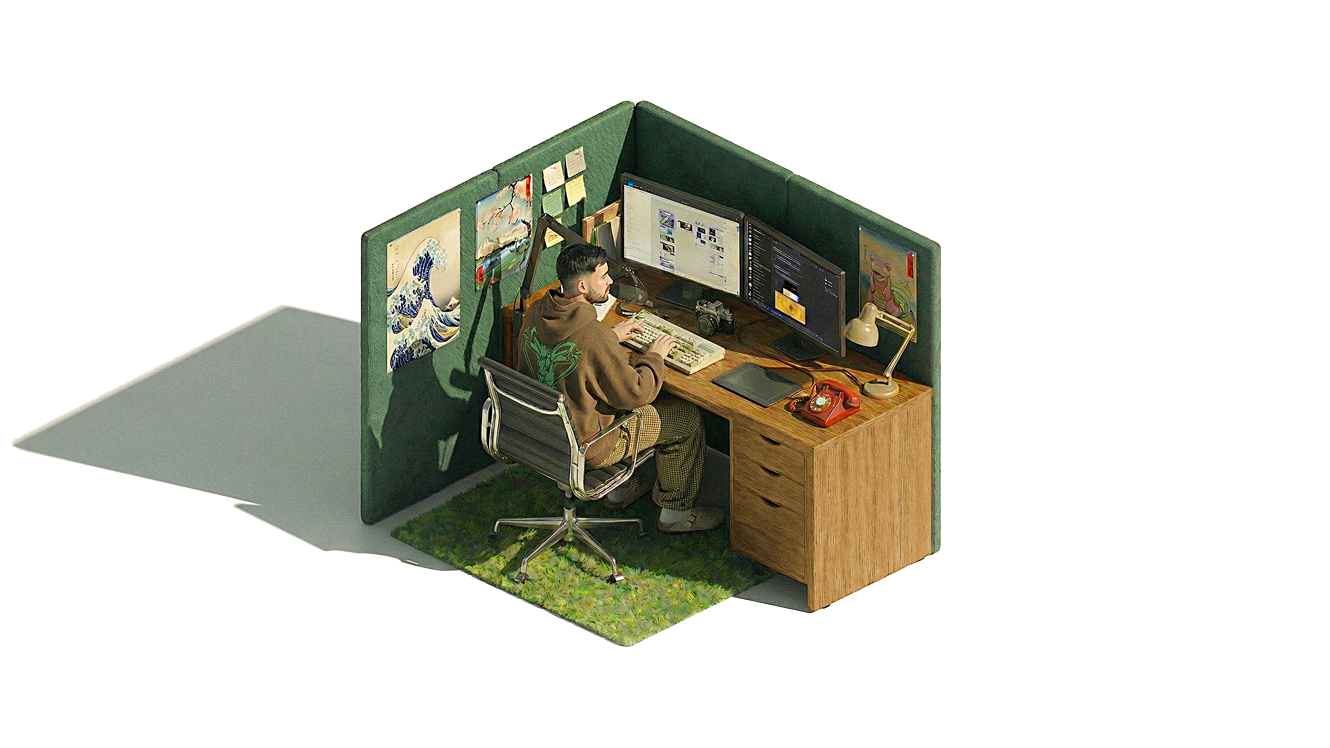
- Missing autumn? Activate Leaf Peeping Season to bring back the falling leaves!
Dec 1, 2024 • 6:45 PM EST
- RyBot™ now has synchronized animations for call states! 📞
- 3D character answers the phone when you start a call (plays once)
- Character holds phone to ear during active conversations (loops continuously)
- Character hangs up phone when call ends, then returns to typing (plays once)
- Implemented staggered crossfade technique for buttery-smooth transitions with zero flashing
- All animations use the same transparency processing as other videos (light mode only)
Dec 1, 2024 • 4:15 PM EST
- Added satisfying sound effects for call interactions 🔊
- Call start sound plays instantly when you click "Chat with RyBot™"
- Call end sound provides audio feedback when conversation ends
- Sounds are preloaded for immediate playback with zero delay
Dec 1, 2024 • 3:30 PM EST
- Polished voice agent UI with snappy elastic animations 🎨
- Added smooth bounce effect when voice controls expand (0.1s with overshoot)
- Grouped control buttons with 6px spacing for tighter, cohesive layout
- Doubled equalizer bars to 32 for fuller, more dynamic visualization
Dec 1, 2024 • 2:00 PM EST
- Introduced RyBot™ - AI voice agent leveraging Hume.ai API & SDK with custom voice model trained using Claude Code! 🤖
- Click "Chat with RyBot™" to have a real-time voice conversation
- Audio-reactive equalizer visualizes voice frequencies in real-time
- Separate controls for microphone and speaker muting
- Clean, minimal Hume-inspired interface with monochrome design
- Secure OAuth token management via serverless backend
Nov 28, 2024 • 10:45 PM EST
- Added second workspace animation that alternates with the typing scene 🎬
- Stretching animation plays every ~20 seconds in light mode for visual variety
- Perfect transparency achieved using advanced luminance-based processing
- Seamless crossfade transitions (0.2s) with layered video approach - no flashing!
Nov 27, 2024 • 8:15 PM EST
- Optimized for mobile devices 📱
- Mobile users now see a clean static workspace image instead of the animated video
- Fixed transparency issues with video on iOS Safari and other mobile browsers
- Improved loading speed and performance on mobile devices
Nov 27, 2024 • 7:30 PM EST
- Thanksgiving Mode Activated! 🍂
- Added falling autumn leaves in light mode with gentle, realistic motion
- Leaves tumble, spin, and drift naturally using advanced 3D animations
- Perfect seasonal complement to the existing twinkling stars in dark mode
Nov 27, 2024 • 1:15 PM EST
- Added this notes section so you can keep up with updates to the site
- Created a new icon button in the top right that opens this overlay
- Grouped the notes icon and light/dark mode toggle together as a tidy control panel
Nov 27, 2024 • 12:30 PM EST
- Added smart video loading - shows a static image first, then smoothly transitions to the animated workspace scene
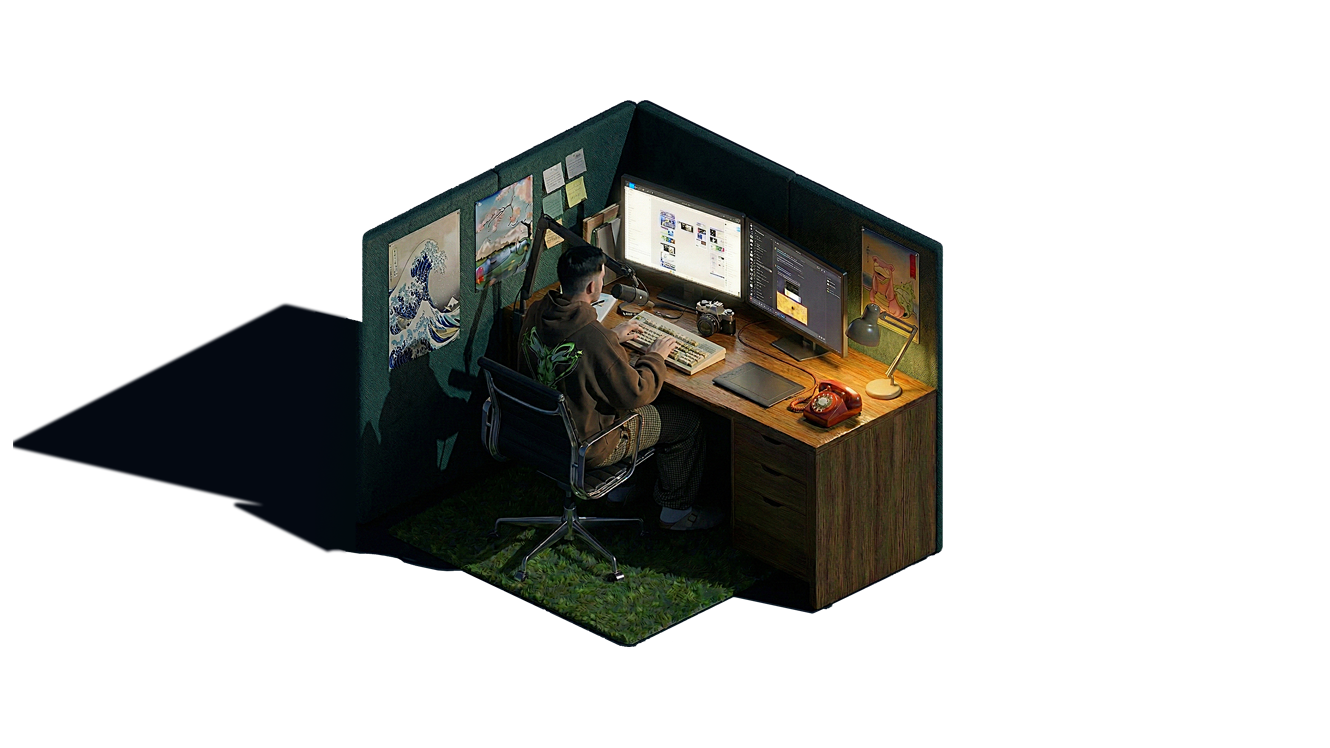
- Improved dark mode with a subtle gradient that adds depth to the background
- Made mode switching faster and more responsive - no more waiting around
Nov 26, 2024 • 10:15 AM EST
- Launched the new portfolio site with a clean, minimal design
- Added light and dark mode toggle - switch based on your preference or time of day
- Integrated twinkling stars in dark mode for a nice ambient effect